What is FiberGate?
FiberGate lets a merchant accept payments over the Fiber Network (built on the CKB blockchain) from their own server — a dashboard to watch the money come in, a REST API and SDK to create invoices, and webhooks to tell your app the moment a customer pays.
You run it yourself. One docker compose up -d brings up everything you need, and every payment flows through infrastructure you own and control.
The problem it solves
Accepting Fiber payments the hard way means doing all of this yourself:
- Run a Fiber node and keep it online and funded.
- Manage channel liquidity so payments can actually route to you.
- Hand-write JSON-RPC calls to create invoices and poll for their status.
- Build your own state machine for pending → paid → expired, plus retries and edge cases.
- Deliver signed webhooks to your store, with retries when they fail.
FiberGate collapses all of that into a few commands and one REST API. You bring a node key and a domain; it handles the invoice lifecycle, real-time payment detection, the dashboard, and webhook delivery — so your storefront only has to call an SDK.
Who it's for, and what you get
FiberGate is single-tenant: one deployment serves exactly one merchant — you. There's no sign-up, no per-customer accounts, no hosted middleman holding your funds. That keeps everything simple and puts you in full control.
What comes in the box:
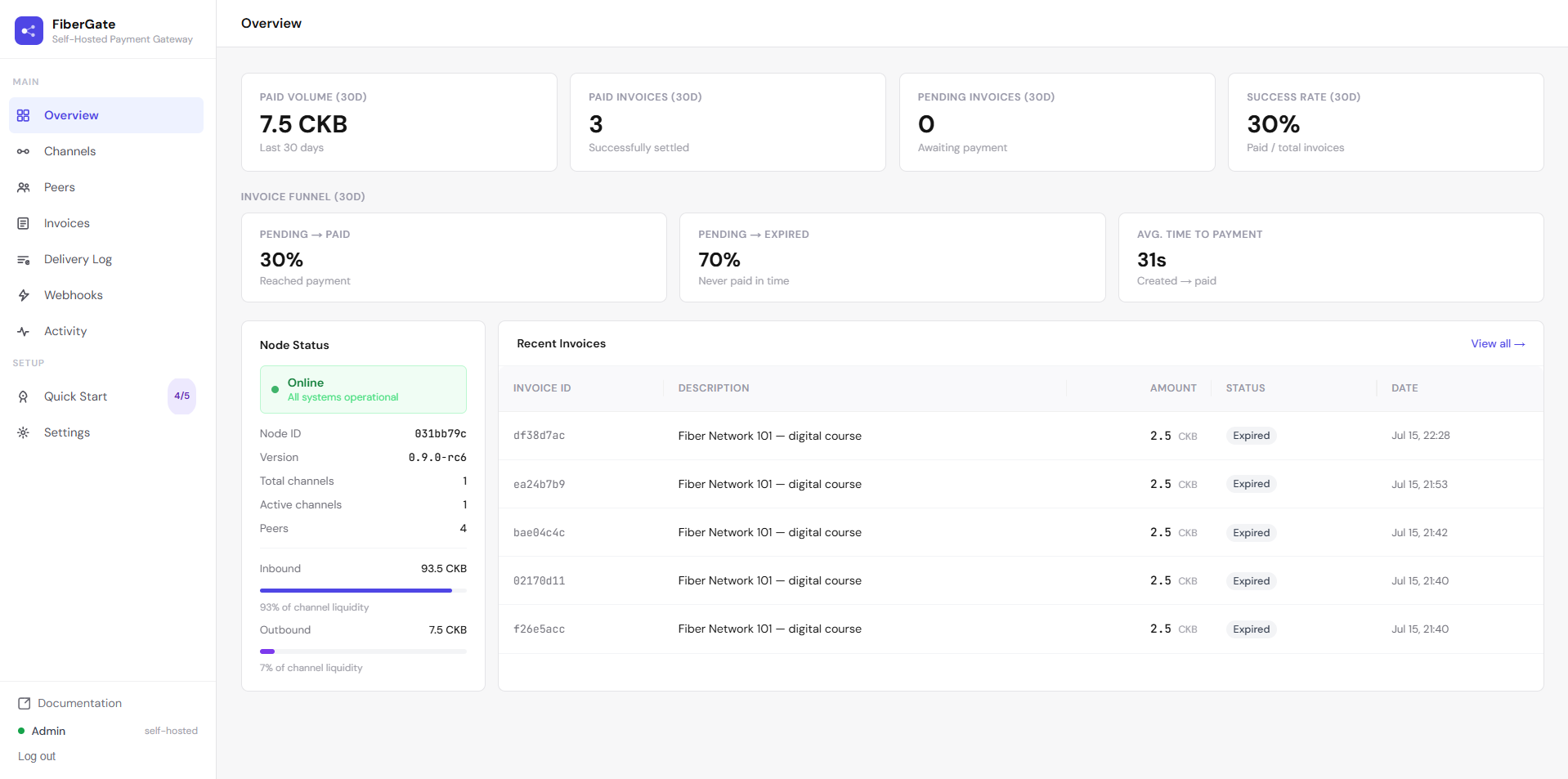
- A dashboard — log in with one admin password to watch invoices, channels, peers, webhook deliveries, and node health.
- A REST API + TypeScript SDK (
@fibergate/sdk) — create and look up invoices from your storefront in a few lines of code. - Webhooks — get a signed notification the instant an invoice is paid, expires, or fails.
- Real-time updates — payments are detected within seconds over a live connection to your node, not by slow polling.
What FiberGate is not: it's not a hosted SaaS, and it's not an "LSP" — it doesn't open channels or provide liquidity on anyone's behalf. It sits on top of a node you already run and fund. (More on why in Decisions & trade-offs.)
A few words you'll see a lot
You don't need to be a Fiber expert to use FiberGate, but four terms show up everywhere. The Glossary has the full list — here's the short version:
- Node — the piece of software that actually speaks the Fiber protocol and holds your funds. FiberGate runs one for you and talks to it so you don't have to.
- Channel — a direct payment link between your node and another. Money moves through open channels instantly and off-chain; you need a channel with enough inbound room to receive a payment.
- Invoice — a payment request for a specific amount. You hand its address to a customer, they pay it, and it settles into your channel.
- Webhook — a message FiberGate sends to your store's URL when something happens (like "this invoice was paid"), signed so you can trust it really came from your gateway.
How it works
When a customer buys something, here's the round trip:
- Your storefront asks FiberGate to create an invoice for the amount owed.
- FiberGate asks your Fiber node to mint it and returns an invoice address.
- The customer pays that address from any Fiber wallet.
- Your node settles the payment; FiberGate notices within seconds over a live subscription (with a 30-second poller as a safety net).
- FiberGate marks the invoice paid, records it, and fires a signed webhook back to your store — which flips the order to "paid" with no page refresh.
Where to go next
- Just want it running? → Quickstart for merchants — three commands.
- Want to follow the whole journey — deploy, tour the dashboard, take your first payment, and watch it land live? → Merchant walkthrough.
- Want to see what the dashboard looks like? → Dashboard tour.
- Curious why it's built this way? → Decisions & trade-offs.